Showing posts with label photo. Show all posts

Monday, October 30, 2017

The Fix 191

So with this in mind
It makes NO difference where you live just as long as you have a connection to the 
world wide web I can Fix It 
Do not speed to much time looking for those wires that connect you to the Internet but on a beautiful day just take in the beauty that surrounds you where you stand for tomorrow is another  day.
All Windows 10 Owners: 
TIP 
Repair UPDATE
1.)Click on start flag
2.) Click on Gear Settings
3.) In open window click on Security and Updates
4.) In this window on the left chose Troubleshoot   
5.) In this window choose Windows Update
DONE

Monday, June 29, 2015

Windows 10

Windows 10 Testing

Good day everyone!
Today I just threw -up my arms and said what the heck!
I installed Windows 10 preview to giver a go so far so good.
Most laptops will get a new windows icon on the lower right corner by the (time and date) I did not get it on my desktop.
Also you will need to note; it only appears if you have your Windows updates turned on.
 
In my situation it took 6 hours to completely install and set-up my system. I'm sure you will not have this issue on a laptop.
 
Microsoft did this for Window 8 release. Their attempt for this launch was dismal for desktop computers.
Guys Windows 10 is testing out GREAT for all users of this software by the end of July I suspect we will have most or all of the kinks worked out. There are a lot of new and improved function within the software and my favorite is "I'm Cortana."
In order to use this function you will need a cam with a built in mic (preferred) or a headset she is voice active. Laptops today come video came ready so no worries. 
For anyone who will attempt the download of this new version I HIFGHLY recommend backing up all your photos, document files, music or any other import information to you before you begin the download of Windows 10.
When you back up I would also like to suggest that you get USB flash drives 8gig to 16gig+ to put all you information on, then all you need to do is load it back onto your computer when you have finish the download of Windows 10.
 
If you would like you can purchase your USB Flash drives here before you begin.
 
Always make your own backups~

Saturday, August 9, 2014

FLASH D+

WOW I found an very amazing place yesterday! 
Had to get this out! 

If you have a USB FLASH DRIVE Stick and it quits working or you have a hard drive that no longer functions WAIT STOP before you take drastic measures give these guys your first CALL!    

Phone Local 503-926-6098 or 1-866-221-3111

I spent some very quality time with their online service tech extremely knowledgeable and helpful! Their procedures are exactly like the ones that I use to perform my maintenance service for your PC.
Guys recovery is changing! 
Let just say this, when your service is accessible online why in the world would you take time to get in your car and waist your gas to drive to a repair shop when this service can be performed on your Computer Online.   

Guys I would like your feedback on this one! IF you know of someone who has been looking for a place to recover their USB  FLASH DRIVE or HARD DRIVE you have found the right place! SHARE 

Need your input on this please leave your comment in the form below this is something that in very unique and may have a use for.

Tuesday, April 8, 2014

Flash In The Pan


I just got off the phone at 9:30AM PST this morning with Microsoft main headquarters in Washington D.C about a Fox news radio press release that #windows 7 will no longer have support or will be supported. We know for a FACT that Windows XP is over today because Microsoft has made this declaration a fact.

Today if you are a Windows XP owner they trying to get a handle on what version of Windows you will upgrade to next.They offer only three(3) Windows 7, Windows 8.0 or Windows 8.1RT each of these versions come with Home or Professional. 

If are adventurous they are open source FREE versions of Linux available to you. Some are like Apple (MAC) in the look and feel. You can go to my blog (here) and read about Windows 8 vs. OS X Mountain Lion or you can look me up on my Facebook page @ Online PC Maintenance.Here is the link to my blog were you can get more info on OS X Mountain Lion http://goo.gl/Xh81My it is an older post here.

Here is the newest version free by Apple called Maverick OS X here 

Here is another option for those who seek peace! Look into the other options offered, try,experiment, and learn we are never to young or old to learn new things you just have to want to stretch a bit...


Friday, March 28, 2014

Bitter Sweet

NEW LOOK 2014

As the world turns; The beat most go on and it's bitter sweet in the process.
My website is a work in progress and with all the views it gets my hope is to find more who like the new look. 
I still have some old things rock'n in the format and want to give everyone a better understanding of why I do things this way. 
Payment are up front this means that you seriousness about the condition of your computer, like am about servicing it for you.
So the basic is the 1 hour option this gives me a look into what your kind of issues your a having with your computer system and the bigger picture into the heart of your computer issues.
It gives you some basics fixes that will keep things working.
But in the more gregarious situation it is better to have the 2 hours section.

Here is a sneak peak at some newer add-ins to my website;   

Now accepting PayPal
Yes wanting to give everyone the opportunities that are available to me as well.
You will also have the opportunity to follow me as well on these two social networks.

LIKES and FOLLOWS on face book are hard and harder to come by these days but still would some more...


AND


Google+

You can also click the above icons to LIKE as well I looked forward to hear some of your response to the new look...
Leave a  comment for me as well! 

THE NEW LOOK  

Tuesday, February 25, 2014

XP PRO 

This product will no longer have support by Microsoft.are you excited about this? I am going to keep this post short...
On April 8, 2014, support and updates for Windows XP will no longer be available ... 

Are there options YES! 

If you are like many others who do not due back-ups now is the time! Buy a USB 16G stick back up all you documents and files~ 

NO WIMPS HERE!  
Here are a few replacement OS that will be extremely accommodating! 

Here is a collection of a few that are worth looking into if you would like to add to this list share and comment. 


Fedora 10 (pictured) - One of the few live distros that didn't have any trouble with the hardware on my MSI Wind netbook. My acid test: can it properly suspend and wake? Yes - and it does it faster than Windows XP, Vista, or Windows 7. OpenSUSE and Ubuntu both failed to resume properly.

Damn Small Linux - I wouldn't feel right not listing Damn Small. It's pretty amazing what you can do with a whole OS that's not much bigger than most Windows antivirus applications. 50mb gets you Firefox, XMMS, VNCViewer, MS Office Viewer, and much more. It's also easily extendable through the MyDSL service or by using the apt command.

Linux Mint - While it's based on Ubuntu, Mint has some features that I think make it a bit more user-friendly. For starters, there are several easy ways to find and install new software including the dead simple Mint Software Portal. Find an app, click the install button, bada bing!

Slax - This has always been one of my favorite light Linux distros. It's about 200mb and includes plenty of great apps. It includes a really slick boot option as well: to act as a PXE server, allowing other machines on your LAN to boot Slax over the network.

NimbleX - If you're looking for a lightweight base to run virtual PCs on, check out NimbleX. It's the smallest distro I've seen that comes with Sun's Virtual Box. You can even customize your ISO on the web site before you download it if you want. Awesome. 


 Haiku - Inspired by BeOS, Haiku strives to provide an environment that is simple enough for beginners to use, yet powerful enough for more experienced users to enjoy as well. As they say on their web site, Haiku wants to be "free of unnecessary complexities." There's also Zeven OS, a Linux distro with BeOS-inspired visuals.

Untangle - Untangle is a free, open source gateway that is available as both a full-blown OS and a Windows application. The Windows "app" is a nice option if you don't have the hardware to spare for a standalone gateway machine
Guys here are a few that you could real get into remember you can share with others on how they can replace Windows. Please feel free to tell others about what you are using instead.  
#OnlinePCMaintenance  #Share #Comment

Sunday, December 1, 2013

Browser Testing 101

Let's start with the newest Microsoft browser Interment Explorer 11~


The newest design is a complement to the newest Windows 8.1 touch technology which in it own rights has some some pros and cons of it own. 
They Just released a version of IE 11 for Windows 7 Pro and Home I currently use Window 7 Pro 32 bit application. 
Here are the findings:
PROS: Its overall speed is desirable, it is secure browsing. 
CONS: Still lacking in the TABS development. Microsoft windows still allows tab stacking. This causes an issue on my system with the sound control each time a new tab is opened the sound is at full volume on each TAB. I have talked with Microsoft support and they said they have not seen this issue,and will be working on it. Their suggested work around turn maim volume control down. So it is back to Google Chrome for now. 
OK there is a NEW GUY in town for those who are not fans of the Google chrome or IE versions browsers and they both have there funky little quirks but Chrome still overall tends to out preform Internet explorer 11.  DOWNLOAD       
  
Here is the NEW GUY on the BLOCK...


This light jewel has taken a hit form CNET but so far you will find that it out preforms IE and Chrome.  
Take some time download it you will find that it has some of the chrome browser functionality however it has a lite weight personality of it is own  and is quite the treat with all the new belles and whistles.
Download it today run it! I would love to hear you thoughts.  

Download  HERE


Monday, September 16, 2013

Startup slow

Is your stem getting very slow @ START-UP? Free tip! 
ALL Windows OS's. 
Click START in the box type MSCONFIG as shown in (or1) image


make sure you are in selective startup as shown in (or2)


Next click startup tab as shown in (or3)


uncheck everything with the exception of your anti virus protection or printer.

Thursday, July 25, 2013

Cutting Edge

WOW! Just another day at the office for Googler's!
Chrome is bustin out~

Techno geeks yes just like me here it is the latest HDMI plugin  for you TV.

A 2-inch hardware device it bills as being the “easiest way to enjoy online entertainment on the TV.”
Google Android and Chrome chief Sundar Pinchai spoke on stage today at a press event about online videos, saying that 200 billion online videos are being watched globally. But one problem people have apparently is how to bring the Internet to the TV — he says 15 percent of households each week are able to transfer that information over to the bigger screen. With the updated version of Chrome, Google hopes to extend the experience to the television.

With Chrome, Google says that its approach to online entertainment is all about simplicity. It highlights three key points: that it should be fast and easy to set up, shouldn’t have anything new to learn, and work across platforms and devices.
Chromecast is a 2-inch device (specifically 72(L) x 35(W) x 12(H) mm) built on Chrome technology running a simplified version of the OS. Consumers need only plug it into HDMI input, connect to the WiFi and sit back and watch.

Google says that Chromecast will receive input from an app to display high-resolution content from the cloud to the device. Users have full control over playback from their mobile phone, tablet, or laptop. The device is intelligent enough to handle multitasking so that users can search for content without interrupting their on-screen viewing. Content can be queued up without stopping what people are watching.

But what about those households that aren’t dedicated Android owners? Google says that for those with iOS devices, you can access the YouTube app, tap on the Cast icon and it will automatically push the content to your Chromecast-enabled television.

Chromecast works not only with YouTube, but also Netflix, Google Music, Pandora, and more.

With this device, it competes against the likes of Apple TV, Roku, and other set-top boxes. In essence, Google is hoping Chromecast will create the true universal remote, except it won’t help you turn on/off your television.

Developers who want to integrate their apps into Chromecast can utilize Google’s Cast SDK.

Saturday, June 8, 2013

Hard Disk Failure


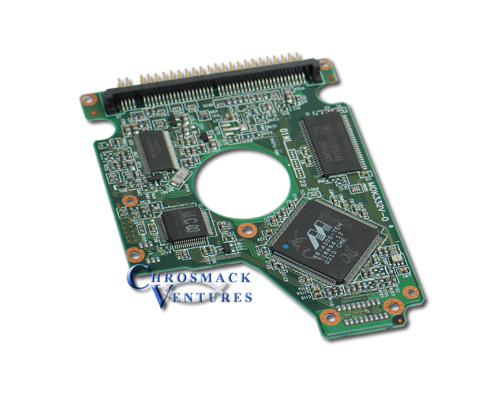
I think we forget the basic principles of the functionality of the Hard drive and the two things that make it function. (1) PCB printed circuit board. When they fail you will get the blue screen Disk (0) failed to read (2) mechanical failure of read heads the clicking sound exceeds the normal operation. Both will give you a blue screen when the motherboard can not find the (OS) operating system on the hard drive.Because of these failures you'll find that cascade failure is imminent for other peripherals.The test for PCB failure is to remove the battery on the motherboard to reset the bios if it reboots and you still get the failure to read disk(0) and the hard drive makes normal operating sounds replace the PCB board and you will be back in business. If the mechanical side of the drive make excessive clicking sounds replace drive.In both cases do not forget to rest the clock when system is up and running or you will find other systems issues will pop up after the bios is reset.  
A special thanks to Brenda Smith

Friday, April 26, 2013

The Windows Security Center Service can't be started.

Meghmala

1. Since when are you facing this issue?
2. Do you have any security software installed and is it up-to-date?
3. Have you done any recent changes to the computer?
You may first identify with what “error code” the Service is failing with. The way to do this is to attempt manually starting the service from the Services Management Console.
1. To access the console type Services in the Start Search field, and press ENTER.
2. Then you will need to click Continue if prompted to open the Services window.
3. In this window you will want to locate the Security Center service right-click it, and select Start.
When the service fails to start you will receive an on-screen error message. Post the error information here so that we can better understand why the service is failing to start.
Hope this helps. Let us know the results.
Thanks,
Meghmala – 
Microsoft Support Visit our Microsoft Answers Feedback Forum and let us know what you think

Wednesday, February 6, 2013

Setup Email Account

Know and understating how your email service works.
As a general rule 98.9% of those who get a service through the ISP tend to get a email address from that provider for example.

Qwest now Century link or AT&T
When you by there service your get a CD with there set-up information. On the disk are the pre-setup details for the DSL connection with other related software.It also comes with email set-up that walks you trough setting it up.
There  are allot of other companies that do the same thing with there customer and there procedures are the same they all use a proprietary client software for there email to set-up your account.

WARNING! IF the ISP ever makes a change to the host sever client you may lose all your email contacts information. There is a better way!

My first choice is to get a Free Google account the first step is to create that Google account with the same information you used to setup your account with that ISP's email service.
EXAMPLE:   billyjoe@centurylink.net Change to billjoe@gmail.com or any other free service of choice.

Next step once you have done this now you want you to get your email  from the @centurylink to your gamil account so you can keep all your contacts address backed up at all times eventually you will want all those to become part of the Gmail account.


How to step the Gmail account to get these emails sent to this account.

Tuesday, January 22, 2013

Stay Tuned

Just for looking into my blog site I am going to start giving away free gifts!
Get your FREE Android app today of ANGRY BIRDS , FRUIT NINJA


Here is a video short on how to ready a CD that does not automatically open when you put it to the CD ROM drive in your Computer.

Video Click  HERE   

Wednesday, August 1, 2012

Not For...

Updated on Windows 8
It is not for me!
If I owned a system that had a touch screen this would be much improved software over Windows 7. 
The issues I dealt with working with this software are as follows.

1 No touch screen makes this softwa
re cumbersome to use with the mouse.
2 Start menus need some work during the trail twice I lost major apps and had to recover the system with the restore function. Finally I just re-installed Windows 7 Professional.
3 The media player has a lot not to be desired very little functionality on the music side.
Now the positives
1 Windows security software bare nun.
2 System updates, cleaning and defragging are all automated keeping the system up and running extremely smoothly.
Review on Windows 8 overall a thumbs up.

Tuesday, June 5, 2012

GREAT NEWS


My web site has new DEALS for all my friends to view go there check it out! I have been looking for ways to give folks a way to purchase computers, computer parts; along with all the accessories they need to build complete systems. Now you can also purchase your favorite products like Dell, HP, and Toshiba desktops as well as laptops and lots more!  
In doing this it is stretching me as well to be creative in ways to help meet and service the needs of customers. General maintenance for your systems is a much underrated process and often neglected till there is some kind of failure and it has to then be taken to a repair shop. My goal is to offer a simple and easy way to keep your Home or Business computer system well maintained for years to come until you are ready to give it to your children or a friend even sell it to upgrade to  a newer system for your personal use. Being an IT Technician I am always stretching myself using my own PC to learn how to fix and repair it after breaking it and sharing hardware, networking and software issues that arise on most systems.
As time permits I will do more post and keep everyone up to speed thanks for following and hope to keep everything new and engaging.    


Saturday, June 2, 2012


NEWS Windows 8
If you are a Windows XP, Vista or Windows 7 user you can install Windows 8 Free. You need to know this! Once you have installed it you there is no return unless you have your original software disc for the system. You can al
so chose to be apart of it's development.

Personal view:
Pros;
-Windows Media clean and more responsive.
-Start inter-phase simple direct most used application easy to get to.
- Windows key on keyboard is now your new best friend.
-Security to this point has been very effective.
-Network setup automatic almost non-existence for user to set up very nice for those who do not know how to set it up.
-Home network has never been easier as just plug and play to connect.
-Update process simple and not so intrusiveness.
-Then pinball game is a great change for away to enjoy your 3d graphics card.
-The social network live connect is cool as is the live mail on the start screen.
This product has several other purpose as well it comes with touch screen technology as well.
Cons;
-Sound control for media player controls the system sound as well for me it a nuisance to turn the systems sound back up every time.
-NO more search for system files the old way'
-NO Run the old way
- Tech tools are there need to learn how to access them.

There is quite a bit more to learn about this new technology!
But for those who are up for new I recommend the experience of Windows 8

Stay tuned and watch for iPhone 5
Never stop learning!


Monday, May 7, 2012

Remote PC Repair

Computer experts say that remote computer repair is often the easiest way to get your computer fixed or upgraded. Just think of all the benefits in remote PC repair: no crawling around disconnecting cables, no lugging the computer to the car, no driving to the repair facility, no waiting what seems like forever for your computer to be fixed and returned to you. Often the cost is similar, or less, than the old-fashioned way of dragging it to a repair shop.Were you aware that over 95% of all computer problems are software-related issues? This means that technicians can “virtually” fix your machine through advanced technology without physically touching it, in most every instance. Your computer setup stays intact, and you are “back in business” quicker than ever before.It really is as simple as submitting a repair ticket or making a phone call, getting connected remotely with an experienced technician, having them diagnose problems, and then watching as your computer is repaired before your eyes!Once you are remotely connected, the technician can run a full battery of diagnostic tests on your PC to find out what is causing you problems. They can repair sluggish computers, remove viruses, and upgrade software all by the click of a mouse.If you’ve never had a computer repaired remotely, you will be fascinated! You are able to watch as the technician works and observe how the repairs and upgrades are done. During the session you will observe all the repairs being made by the technician while he is actually doing it on your screen, and you will actually see the technician’s mouse moving around on your computer screen. Remote repair sessions can last anywhere from just a few minutes, up to several hours depending on what the problem Is and how complex the resulting repairs are. If you pay strict attention, you might even learn some new computer tricks. 

Wednesday, May 2, 2012

NEW LOOK


Well I have opted for a new look! As you can see.
The propose behind my blog is to get you thinking about your computer system and the issue that will follow with time. Most of us do not even give a second thought after spending hundreds of dollars on a new PC,Laptop or even a new Ipad. Security should be the first consideration, most new purchases come with a year from Norton and McAfee just to  name a couple.
However there are still simple maintenance issues that you will need to over come to keep your computer working optimally and this is were I come in and save you hundreds dollars of unnecessary head aches.
To unplug all the connection and take you computer to the repair store is becoming a thing off the past.
Today most us would find that to be just one big head ache. At this point in time there are maybe 20% to 30% of those who have discovered that remote connections are becoming the way to go before there is catastrophic system failure.
I would like you to stop in and visit my website and take a look around there is some very useful information and how you can do some things on your own to stay maintained. I need for those of you who seek IT support to understand that the issues you will face are preventable before you systems go's from slow to stop.I have chosen the method for payment to be hourly and you chose the time that best fits your need my only stipulation is that you pay for the time you choose and if more time is required pay as we go.I have chosen flat rate for my time like your time is valuable to you my time is also valuable to me.Also I want to mention that when preforming repairs since I am using a secure remote connection you do not have to be present only unless there are some questions you may have or as well I to may have.
I would like to share a simple rule of thumb with every one the DELETE key in 99.9% of the time is not your best friend...   

I have do have great news for all the Windows 7 users Windows 8 preview is free to download! Best recommendation follow the instruction for downloading it keep all you files when it asks. It is a great product.Its major design is for touch screen applications it would be cool to own one but never the less it seems quit useful.
You can download it here http://windows.microsoft.com/en-US/windows-8/consumer-preview

Come visit me @ http://onlinepcmaintenance.weebly.com/
I look forward to you stopping by.
IT Technician
Rich
My cat Snickers